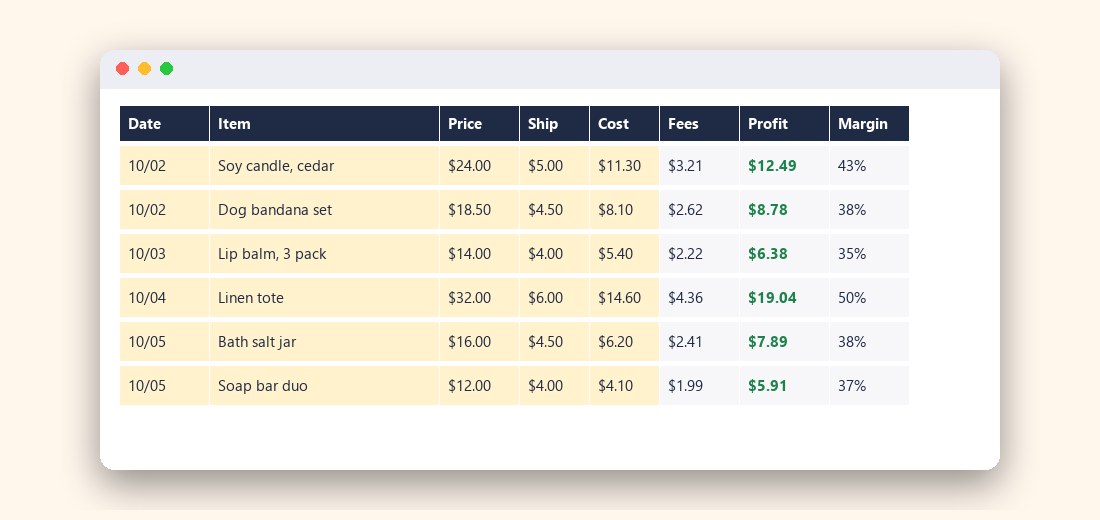
The Etsy Seller Profit Tracker turns every order into a real profit number after fees, shipping and item cost, in a spreadsheet that does the math for you.
One-time payment. Instant download after 1 confirmation. Excel and Google Sheets.
Your shop dashboard shows sales. It does not show what is left once everything else is taken out.
Listing fee, transaction fee, payment processing and a fixed fee per order. Offsite ads can add a percentage on top. Each one is small. Together they are not.
Label costs sit in one account, supplies in another, packaging on a card statement. Few sellers can say what a single candle or tote really costs them.
Bank deposits are not income and not profit. Without a running total, a quarter's worth of guesswork gets reconstructed from receipts and exports.
The result: underpriced products, busy months that earn little, and no idea which items deserve more of your time.
Type in the sale, the shipping label and what the item cost you. The tracker calculates Etsy fees and your net profit and margin on the spot.
Yellow cells for you, formulas for everything else. Fees, profit and margin fill in per row.
Supplies, packaging, software, ads and equipment with a category list, so spending never mixes with product cost.
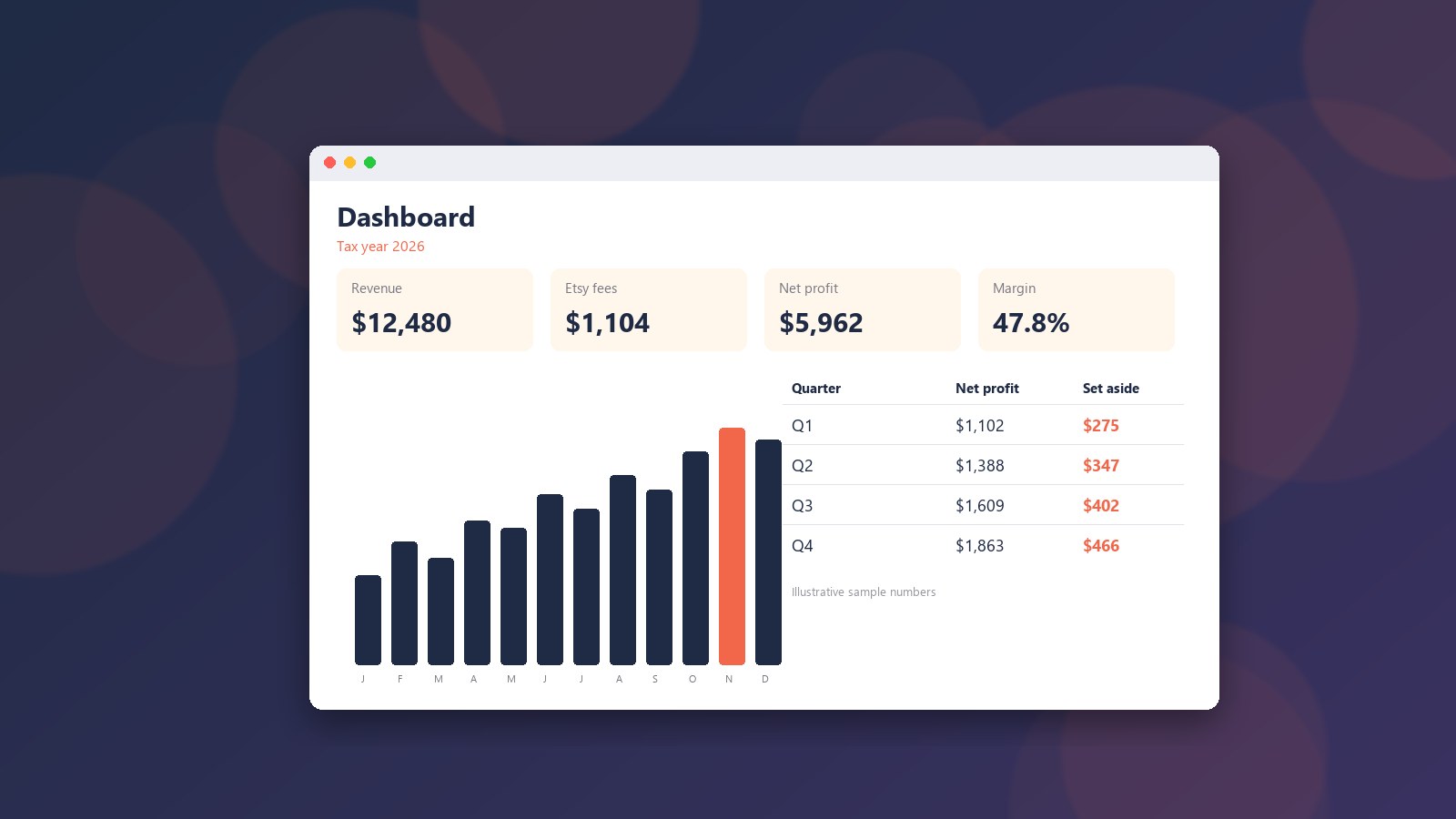
Month-by-month revenue, fees, costs, profit and margin, with a chart and a quarterly tax set-aside based on a percentage you choose.
Fee rates are editable. Etsy changes them and they differ by country, so you are never stuck with outdated numbers.
Five short steps, so you can log your first order right away.
A plain spreadsheet file. No subscription, no macros, no account. It is yours to keep and change.
With the tracker filled in, you can answer three questions in seconds.
Sort orders by margin and see which products are worth making more of.
Spot items where fees and shipping leave next to nothing.
See a suggested amount to put aside each quarter, so tax time is no surprise.
After you click, you get an order page with a unique BTC amount and a QR code. Keep that page's link: it is where your download appears.
Yes. Upload the .xlsx to Google Drive and open it with Google Sheets, or use File > Import. The formulas and drop-downs are standard. The dashboard chart may look slightly different there.
The Settings tab ships with starting values (US-style: $0.20 listing, 6.5% transaction, 3% + $0.25 processing). Etsy changes fees and they vary by country, so check your own Etsy fee page and edit the yellow cells.
No. It is a bookkeeping aid. The quarterly set-aside is a simple percentage of profit that you choose, not a tax calculation, and it is not tax or accounting advice. Check your local rules or ask an accountant.
No. You enter orders by hand or paste values into the yellow columns. That keeps the file simple, with no macros or add-ins.
It lets us sell without a card processor or an account. You scan a QR code from any wallet.
Bitcoin payments cannot be reversed, and this is an instant digital download, so there are no refunds. The sample images above show exactly what the tabs look like (numbers are made up for illustration).
The order page checks the blockchain on its own. Keep the page open or bookmark its link; the download appears after 1 confirmation, which usually takes 10 to 60 minutes.
Your next order can already show its real profit.